

Available on Business and only by Admin users
It's the screen you open when something is different and nobody remembers doing it, a role that changed, a license that moved, a setting that isn't what you expected.
Open Account → Activity in the portal.
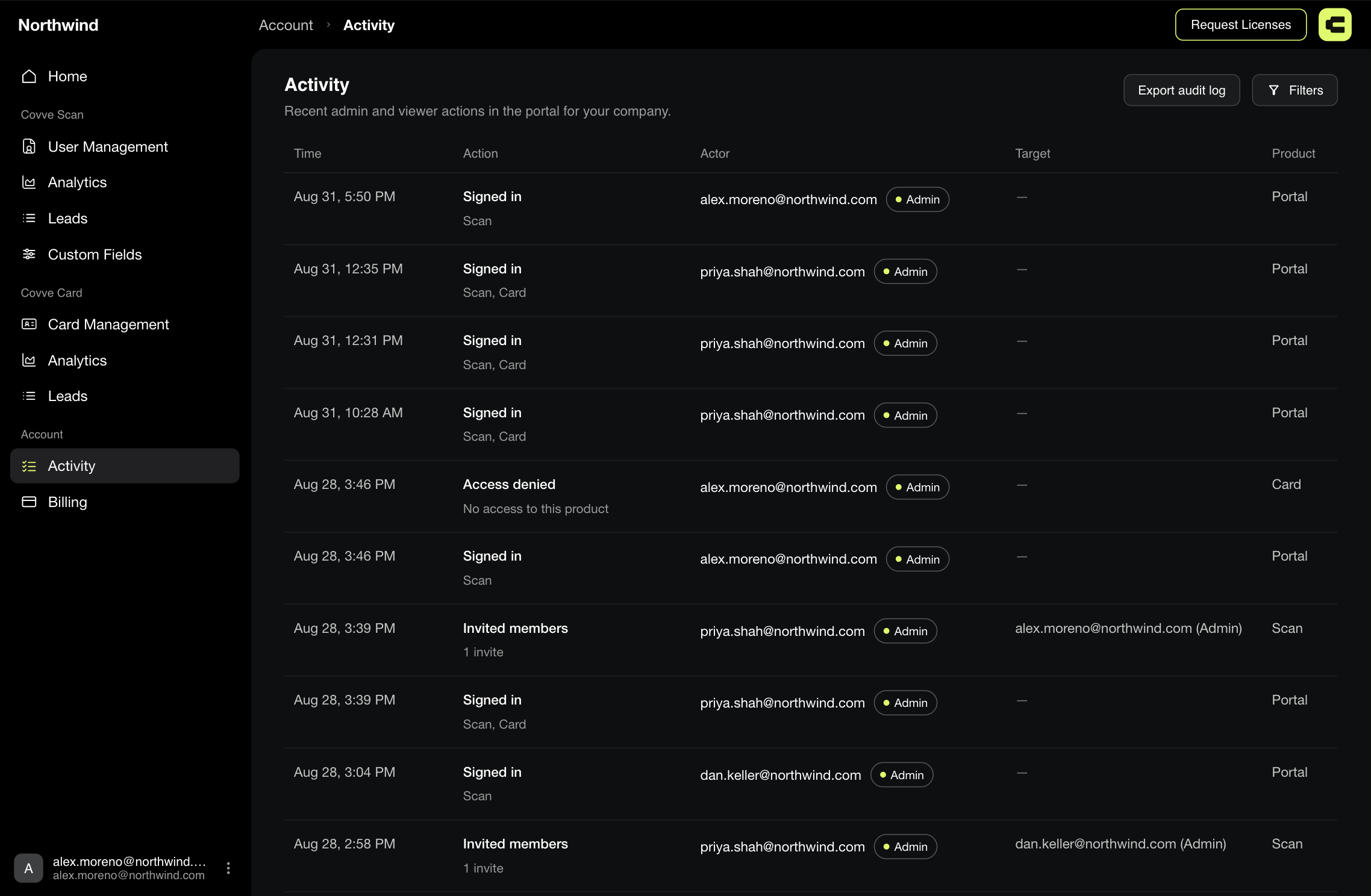
Filtering
Open Filters in the top right. The button carries a badge with the number of filters you have active, and Clear all resets them.
There are four sections:
Section | What it narrows by | Options |
|---|---|---|
Event | The kind of action | Every event type present in what's loaded |
Product | Which part of Covve | Scan, Card, Portal, CRM |
Role | The actor's role | Admin, Viewer, Member |
Actor | The specific person | One per email address present |
The lists are built from what's actually there, not from a fixed menu. If your team has never connected a CRM, there's no CRM product chip to pick. A section with nothing in it doesn't appear at all, and before anything has loaded you'll see "Filters appear once activity has loaded."
What gets recorded
Broader than the screen's subtitle suggests. Alongside portal administration it records lead activity coming from the app.
Area | Events |
|---|---|
Access | Signed in, Access denied, Feature locked |
Team and licences | Invited members, Resent invitation, Retracted invitation, Revoked license, Changed role |
Custom fields | Created custom field, Deleted custom field, Reordered custom fields |
CRM | Connected CRM, Saved CRM mappings, Disconnected CRM |
Billing | Added licenses, Enabled CRM add-on, Opened Stripe portal |
Leads | Scanned lead, Updated lead, Deleted lead, Shared lead, Sent lead to CRM, Sent digital card to lead |
Digital cards | Created card, Updated card, Deleted card, Cleared card license, Requested card export |
Settings | Changed auto-send to CRM, Changed auto-share to team |
Exports | Exported CSV, Exported leads, Exported audit log |
Account | Deleted account |
Export it
Export audit log downloads the record, which is what you'll want for a compliance review or a security question rather than reading it on screen.
The export ignores your filters.
It takes the whole log rather than what you're looking at. Filter afterwards, in the spreadsheet.