

It's the only method where you do nothing at the moment of capture, which makes it the easiest one to forget you have.
How it works
Both your physical Covve card and your digital business card carry a QR code.
Someone scans that code with their phone camera.
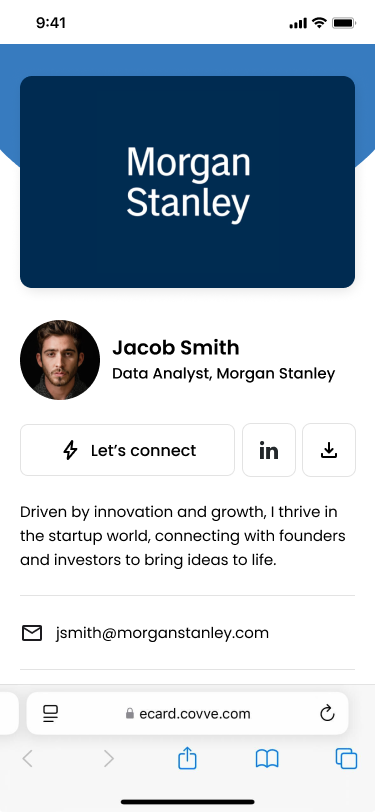
They land on your profile, seeing whatever you've chosen to share.
From there they can send you their own details.
The lead appears in your Covve, marked so you can tell it apart from anything you scanned.
Getting more from it
Share the code, not just the card. Your digital card has the same QR as the physical one, so you can send it in a message or add it to a slide.
Keep your profile current. It's the only part of Covve your contacts actually see, and it's what they judge before deciding to hand over their details.
FAQ
Do they need Covve installed?
No. They open your profile in their phone's browser.
Do I get notified?
The lead appears in your list like any other capture, with a mark showing it came from a shared card.
Can I tell these apart from cards I scanned?
Yes, they carry their own marker in your list.
Does this work with a physical card?
Yes. The QR on a physical Covve card leads to the same profile.