

Purchasing a license buys a seat. Activating it means somebody is actually using that seat. Buying ten licenses doesn't give ten people access, each of them still has to accept and sign in.
What it means | |
|---|---|
Licenses Purchased | Seats you're paying for |
Licenses Activated | Seats someone is actually using |
Pending Invitations | Seats reserved by an invite nobody has accepted yet |
Licenses Available | Purchased, minus Activated, minus Pending Invitations |

Buy licenses
Adding licenses is self-serve for Covve Scan accounts billed through Stripe, and it charges your card on file straight away, there's no waiting on a request. The exception is an account billed by invoice instead of Stripe: that one still goes through a request, not an instant purchase
From the billing page
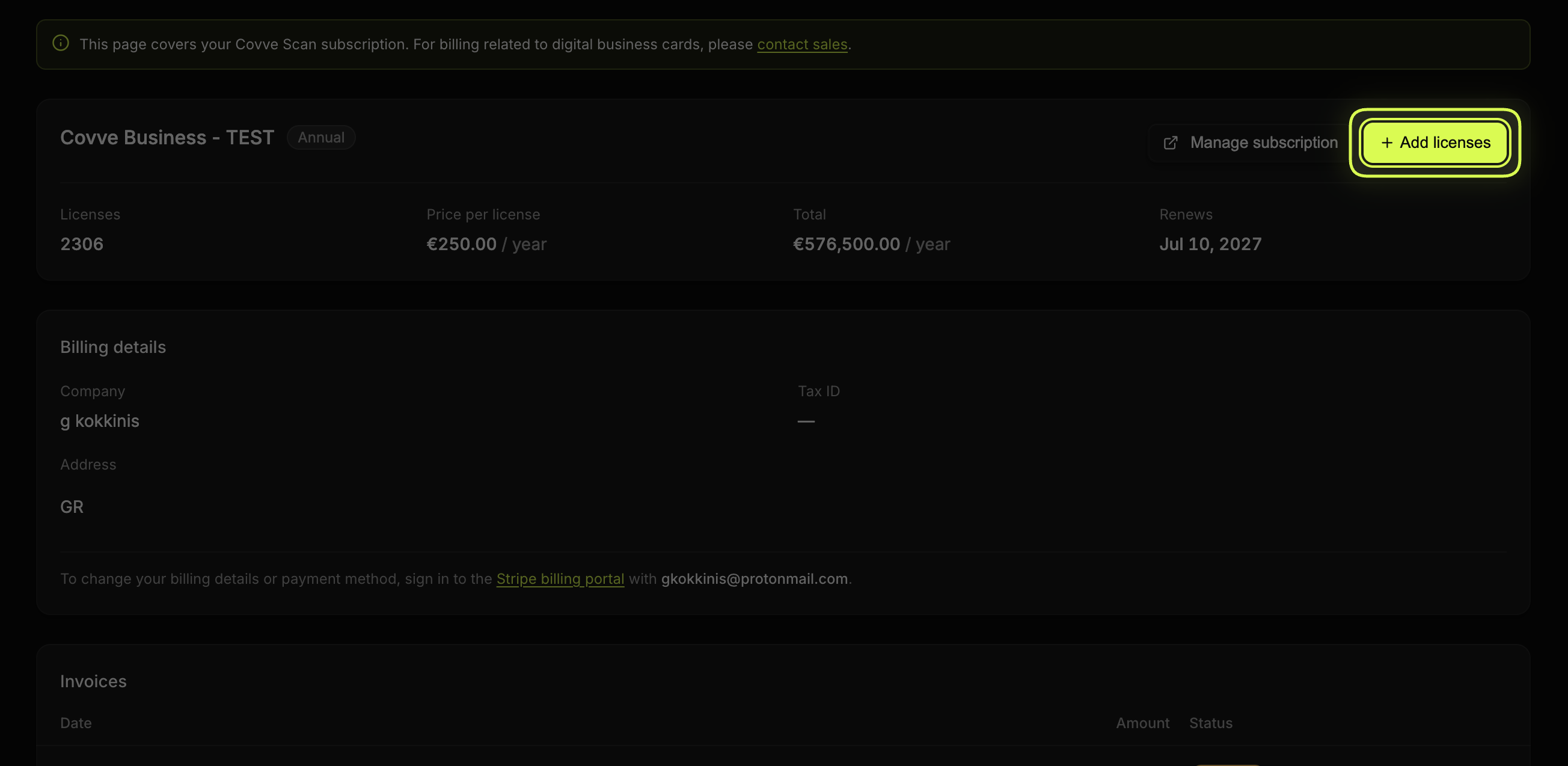
A live, prorated preview against your current billing period.
From the invite dialog
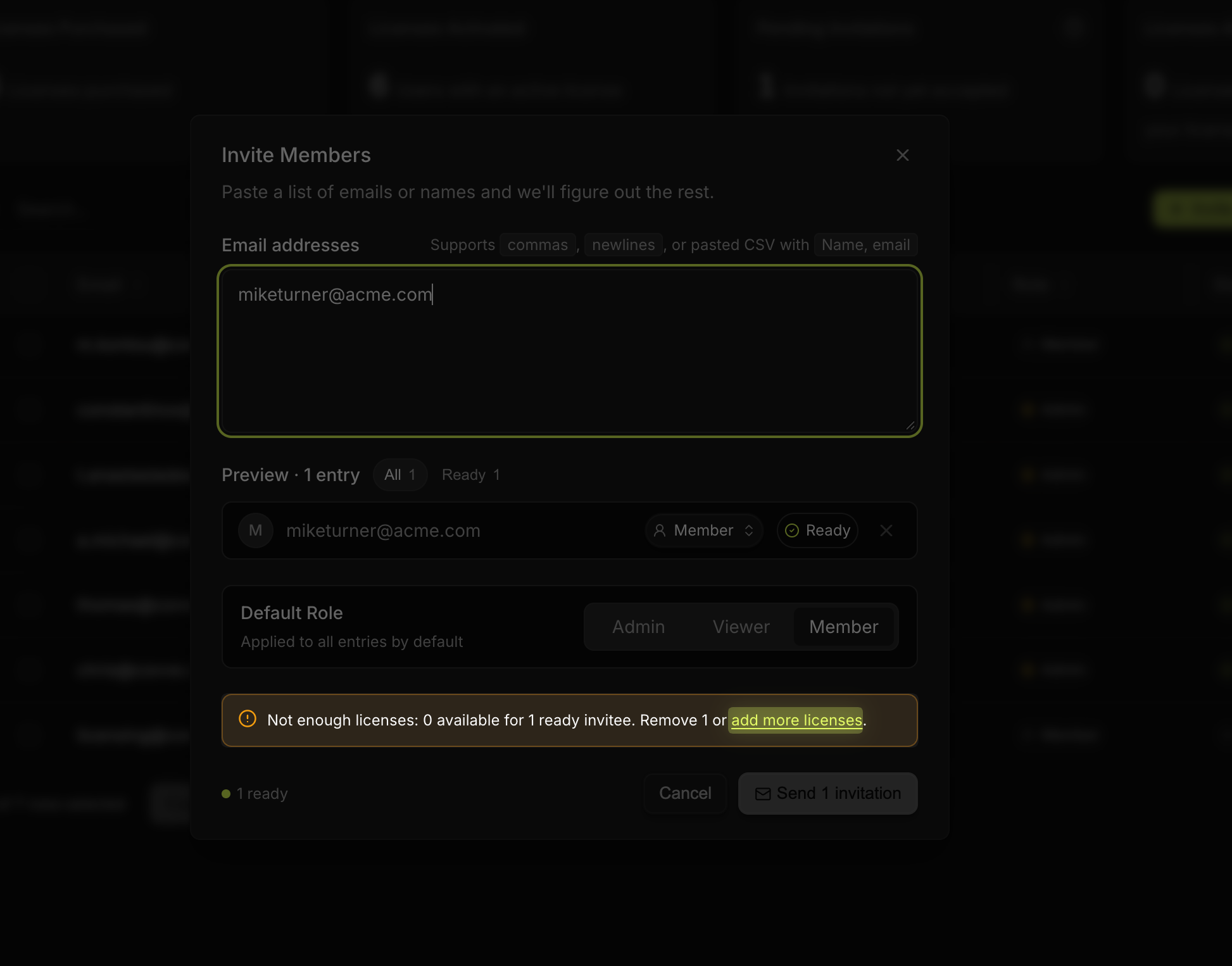
If you try to invite more people than you have licenses for, Invite Members shows a banner informing you that you do not have any more available licenses.
You can either remove invitees from the list, or click add more licenses to open the same Add licenses dialog, pre-filled with the exact shortfall, stacked on top of the invite dialog so your prepared list survives the detour. Finish the purchase and the invite dialog picks up where you left off.
Activate them
A license activates automatically once the person accepts their invite and signs in, nothing extra for you to do.
For the invite dialog, roles, and the resend, retract and revoke actions, see Invite and manage users in the portal.
When someone doesn't appear as activated
Work through these in order:
Check the email address you entered. A typo is the most common cause and the easiest to miss.
Ask them to check spam. The mail comes from
licensing@covve.com, which their filter may not recognise.Check they signed in with the invited address. Signing in with a different email creates a separate account that has no license attached.
Resend the invite if none of the above explains it.
Removing someone from User Management releases their seat for someone else. Their captured leads stay visible to admins. See Leaving a team, or removing someone.