

More about the Licenses:
Invite people
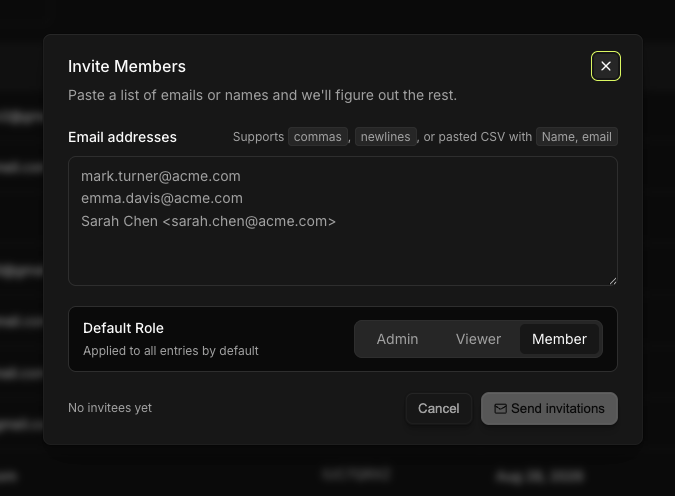
Open Invite Members.
Email addresses takes more than one at a time. Put each on its own line. It accepts a plain address, or a name and address together in the form
Sarah Chen <sarah.chen@acme.com>.Default Role is applied to all entries by default, so set it before adding a long list.
Invitees appear underneath as you add them.
They receive an email from Covve at licensing@covve.com. The license activates when they follow it and sign in.
Change what someone can reach
See Team roles explained.
The actions on each row
Which actions appear depends on whether the person has accepted:
Their state | Available actions |
|---|---|
Active | Change role, Revoke license |
Pending invitation | Resend invitation, Retract invitation |
Resend invitation sends the email again, which is the first thing to try when someone says it never arrived.
Retract invitation withdraws an invite that hasn't been accepted. You can select several pending invites and retract them together, the button counts them, reading Retract selected invites (3).
Revoke license takes the seat back from an active user. Covve confirms first, under the heading Revoke License, telling you exactly whose license it is: "This will remove the license from [their email]."
All leads captured under the company account remain available on the portal. Managing them is limited to the app via the account of the user that captured them.
This is separate from the app's teams
A license gives someone access to Covve and decides what they can reach in the portal. It does not put them in a team or share their captures. That happens in the app, with a Team ID. See Managing your team.