

Buy licenses?
Purchase the number of seats you need in the portal. You can add more later as the team grows.
Open User Management in the portal:
| What it means |
|---|---|
Licenses Purchased | Seats you're paying for |
Licenses Activated | Seats someone is actually using |
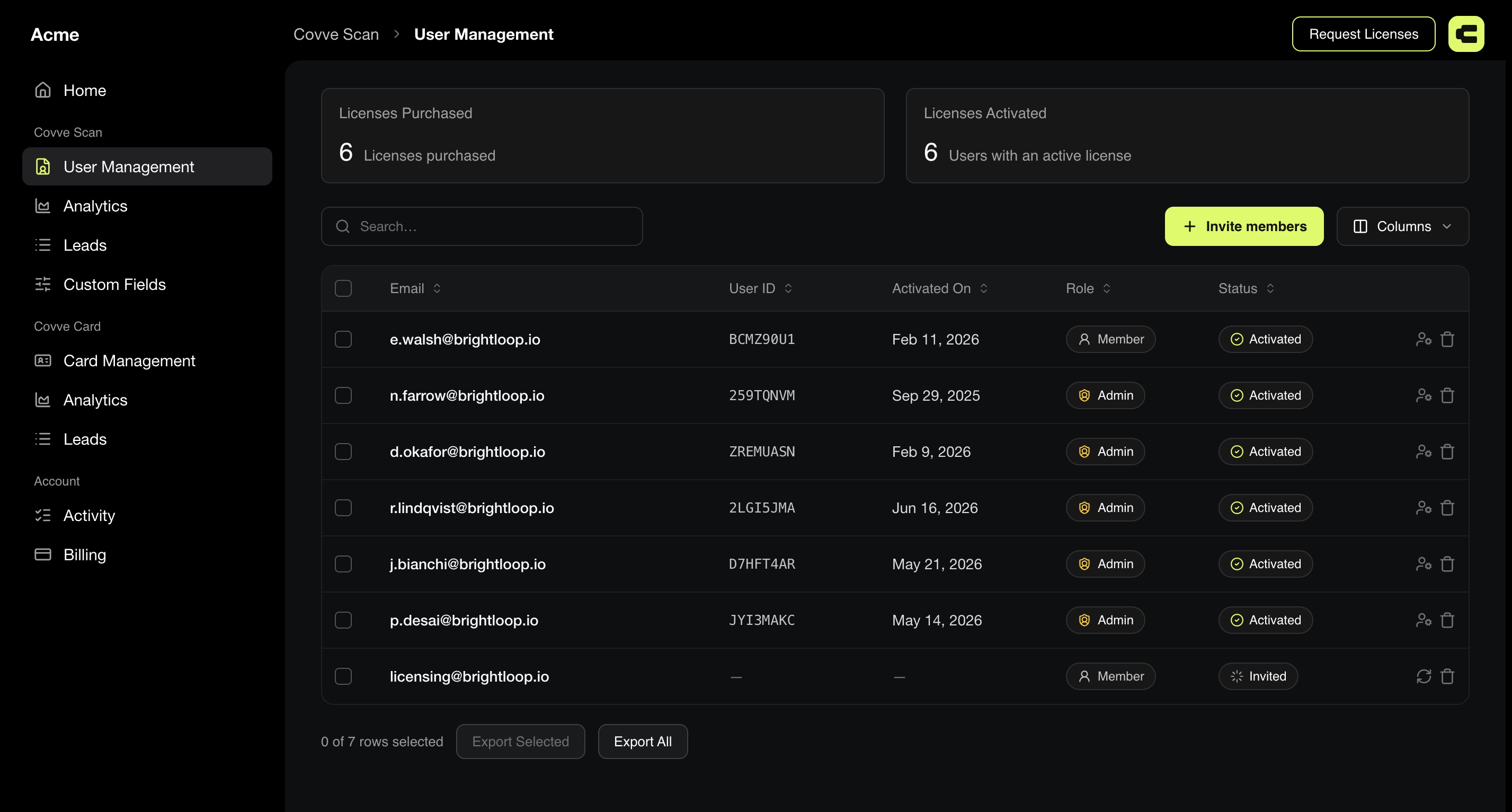
What the table shows
Email, User ID, Activated On, Role, and Status.
User ID is the value support asks for about a specific person, so this screen is where you find it without asking them.
Status is a chip with one of three values:
Status | Meaning |
|---|---|
Active | The invitation was accepted and the license is in use |
Pending invitation | Invited, not yet accepted |
Deactivated | No longer has access |
A gap between them is normal for a day or two after you invite people. A gap that persists means you're paying for seats nobody has taken up, and it's the clearest signal that invites went unanswered.
Check this number a week after onboarding a team. It's the fastest way to find the three people who never got started, and it costs nothing to look.
Activate them
A license is activated when the person uses it:
You can monitor how many licenses have been activated and how the team is performing through our Analytics pages.
When someone doesn't appear as activated
Work through these in order:
Check the email address you entered. A typo is the most common cause and the easiest to miss.
Ask them to check spam. The mail comes from
licensing@covve.com, which their filter may not recognise.Check they signed in with the invited address. Signing in with a different email creates a separate account that has no license attached.
Resend the invite if none of the above explains it.
Free a license up
Removing someone from User Management releases their seat for someone else. Their captured leads stay visible to admins. See What happens when a member leaves.
Personal subscription or team licences?
These are two separate systems, and confusing them is behind most billing questions.
| Personal subscription | Team licenses |
|---|---|---|
Bought by | One person, in the App Store or Google Play | An organisation |
Covers | That one person | Everyone you assign a seat to |
Managed in | Apple or Google | The Covve portal, by an Admin |
Gets you | The paid features on your own phone | The portal, your team's leads in one place, shared custom fields, and CRM connections |
If you started on a personal subscription and now need seats for colleagues, email sales@covve.com and they'll set you up with a multi-seat account and advise what to do about the subscription you already have.
FAQ
Does every team member need a license?
Yes, including people who only use the app.
Can I reuse a license?
Yes. Remove the person and the seat is free.